
Too Long; Didn't Watch
Features
No Friction
No need to even click on the video, summarize right from the thumbnail.
AI Summaries
Chronological summaries with clickable timestamps, jump right to the interesting part.
AI Analysis
Objective analyses to give you only the key takeaways without watching the whole thing.
Custom Prompts
Write your own prompt at no extra cost.
Folders & Synchronization
Organize your summaries in folders and synchronize them between your devices.
Markdown Enabled
AI results are returned in Markdown format, ready to be copied in one click.
Summarize Right from the Thumbnail
No need to open the video first. Click the "Summarize" button directly on any YouTube thumbnail and get instant AI-powered insights. Save time by deciding what's worth watching before you commit.
Clickable Timestamps That Jump to Key Moments
Get chronological summaries with clickable timestamps. Click any timestamp to jump directly to that moment in the video. Find the exact information you need without scrubbing through hours of content.
Key Takeaways Without Watching the Whole Thing
Get objective analyses that extract only the key takeaways. Understand the main points, arguments, and conclusions without watching the whole thing. Perfect for research and quick decision-making.

Write Your Own Prompts for Personalized Results
Write your own prompts to get exactly the insights you need. Want bullet points? A specific format? Technical details? You're in control of how the AI summarizes—at no extra cost.
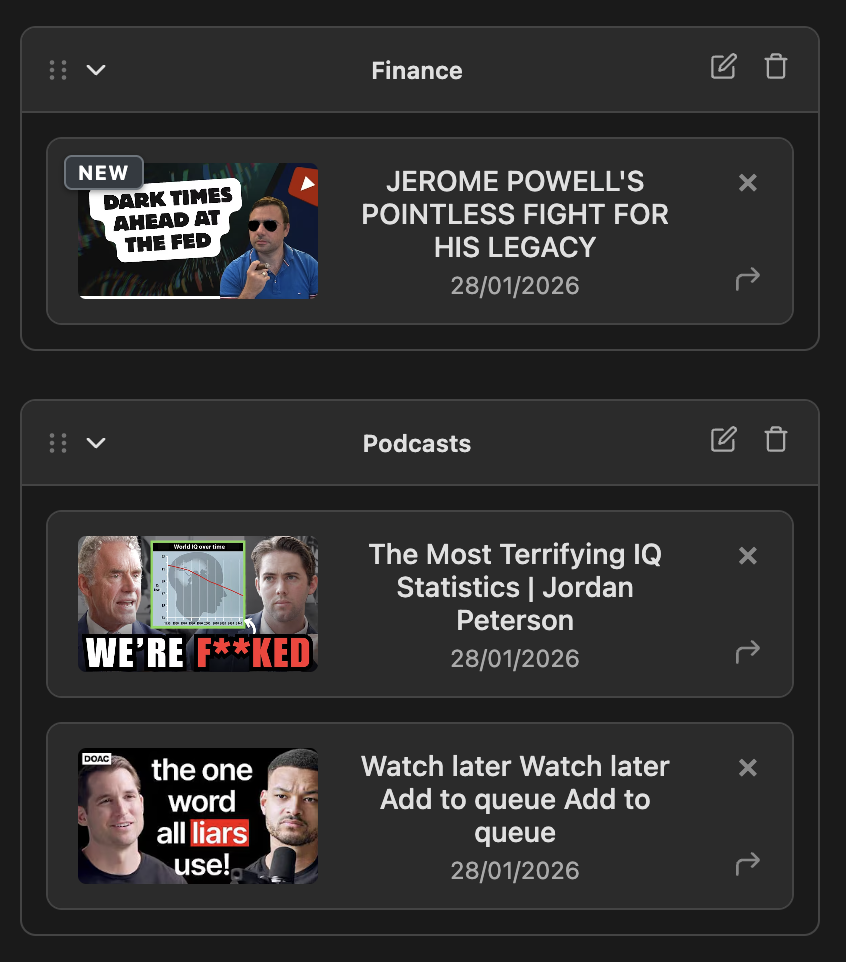
Organize in Folders & Sync Across Devices
Organize your summaries in custom folders and sync them across all your devices. Sign in with Google, and your entire library stays in sync automatically. Drag and drop to reorganize, track unread summaries with badges.
Copy-Ready Markdown Output
All summaries are returned in clean Markdown format. Copy with one click and paste directly into your notes app, docs, or anywhere else. No reformatting needed—ready to use instantly.
Pricing
off!
Free
placeholder
- • 90 minutes per month
- • Bult-in prompts only
- • Save up to 20 sumamries to your folders
Premium
Best Value$54/year billed monthly
$45 billed annually
- • 1500 minutes per month
- • Custom prompts
- • Clickable timestamps
- • Unlimited saved summaries
Credit Pack
- • 1000 minute refill
- • Available to Free and Premium users
- • Credits expire after one year
- • Perfect for occasional extra usage